 |
Electronic Components Datasheet Search |
|
|
Electronic Components Datasheet Search |
|
GD25LQ64CSJS Datasheet(PDF) 39 Page - GigaDevice Semiconductor (Beijing) Inc. |
|
|
|||||||||||||||||||||||||||||
GD25LQ64CSJS Datasheet(HTML) 39 Page - GigaDevice Semiconductor (Beijing) Inc. |
|
|
39 / 77 page 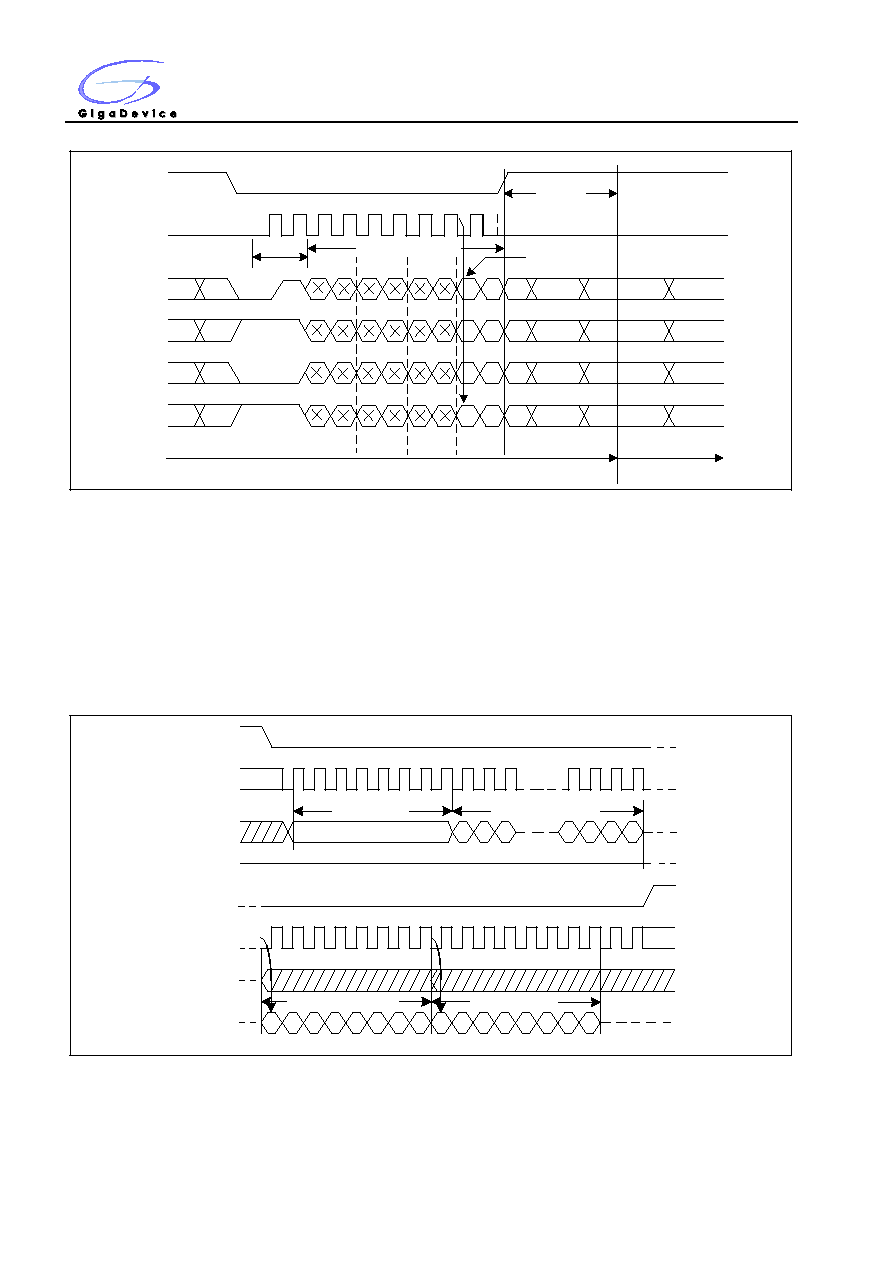 1.8V Uniform Sector Dual and Quad Serial Flash GD25LQ64C 39 Figure23a. Release Power-Down/Read Device ID Sequence Diagram (QPI) CS# SCLK IO0 IO1 IO2 IO3 0 1 2 3 4 5 Command ABH 6 7 8 0 1 3 4 5 7 2 6 IOs switch from Input to Output 3 Dummy Bytes Device ID tRES2 Deep Power-down mode Stand-by mode 7.22 Read Manufacture ID/ Device ID (REMS) (90H) The Read Manufacturer/Device ID command is an alternative to the Release from Power-Down / Device ID command that provides both the JEDEC assigned Manufacturer ID and the specific Device ID. The comma nd is initiated by driving the CS# pin low and shifting the command code “90H” followed by a 24-bit address (A23-A0) of 000000H. After which, the Manufacturer ID and the Device ID are shifted out on the falling edge of SCLK with most significant bit (MSB) first as shown in Figure24. If the 24-bit address is initially set to 000001H, the Device ID will be read first. Figure24. Read Manufacture ID/ Device ID Sequence Diagram Command 0 1 2 3 4 5 6 7 90H CS# SCLK SI SO High-Z 8 9 10 28 29 30 31 3 2 1 0 23 22 21 24-bit address MSB 34 35 36 37 33 6 5 4 3 2 1 0 38 39 32 42 43 44 45 41 46 47 40 7 Device ID CS# SCLK SI SO MSB Manufacturer ID 6 5 4 3 2 1 0 7 |
|
Link URL |
| Does ALLDATASHEET help your business so far? [ DONATE ] |
About Alldatasheet | Advertisement | Contact us | Privacy Policy | Link to Datasheet | Link Exchange | Manufacturer List All Rights Reserved©Alldatasheet.com |
| Russian : Alldatasheetru.com | Korean : Alldatasheet.co.kr | Spanish : Alldatasheet.es | French : Alldatasheet.fr | Italian : Alldatasheetit.com Portuguese : Alldatasheetpt.com | Polish : Alldatasheet.pl | Vietnamese : Alldatasheet.vn Indian : Alldatasheet.in | Mexican : Alldatasheet.com.mx | British : Alldatasheet.co.uk | New Zealand : Alldatasheet.co.nz |
|
Family Site : ic2ic.com |
icmetro.com |
 New Zealand ▼
 English
 Chinese
 German
 Japanese
 Russian
 Korean
 Spanish
 French
 Italian
 Portuguese
 Polish
 Vietnamese
 Indian
 Mexican
 British
 New Zealand


