 |
Electronic Components Datasheet Search |
|
|
Electronic Components Datasheet Search |
|
OBE2000-R3-SE0-P Datasheet(PDF) 6 Page - Pepperl+Fuchs Inc. |
|
|
|||||||||||||||||||||||||||||
OBE2000-R3-SE0-P Datasheet(HTML) 6 Page - Pepperl+Fuchs Inc. |
|
|
6 / 7 page 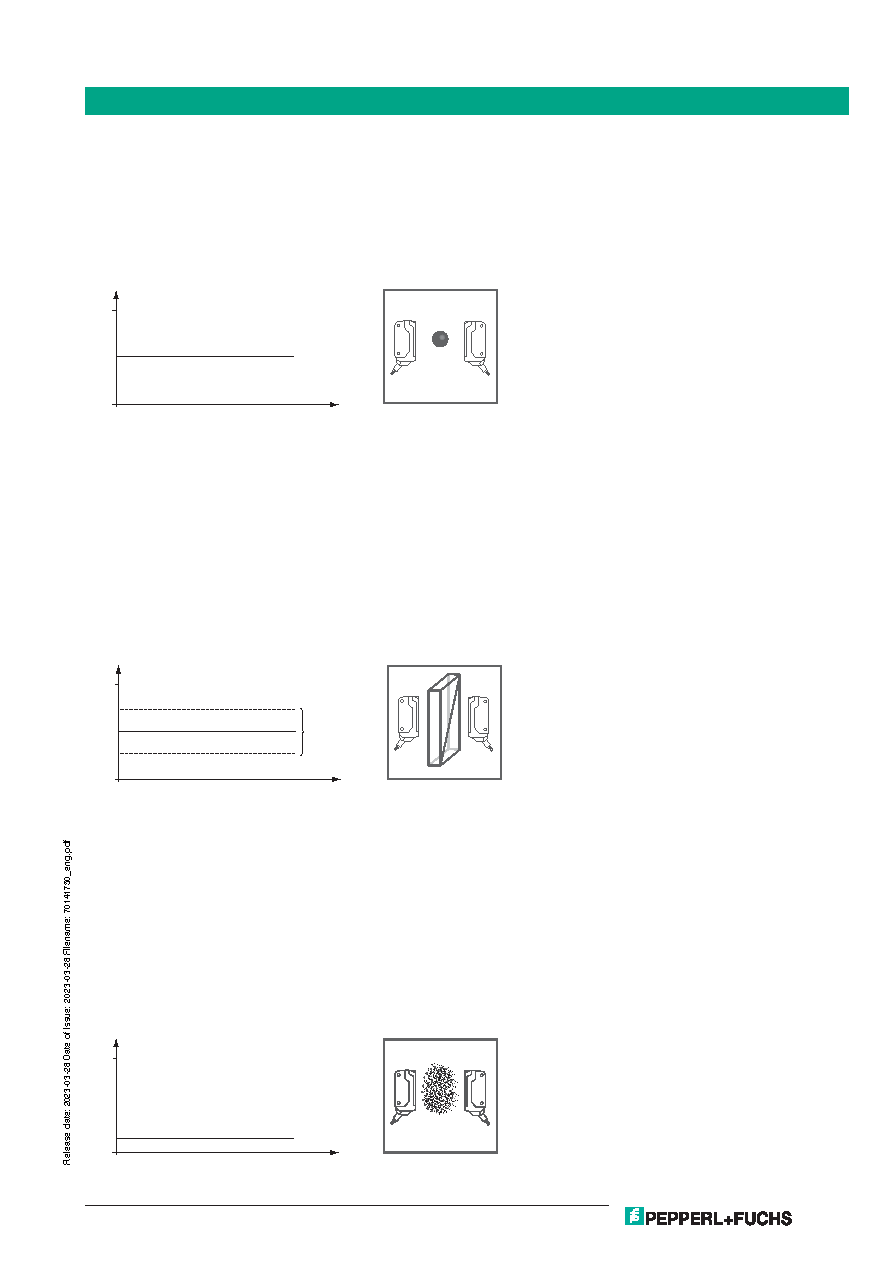 OBE2000-R3-SE0-P 6 Germany: +49 621 776 1111 Pepperl+Fuchs Group Refer to "General Notes Relating to Pepperl+Fuchs Product Information". USA: +1 330 486 0001 Singapore: +65 6779 9091 www.pepperl-fuchs.com fa-info@us.pepperl-fuchs.com fa-info@sg.pepperl-fuchs.com fa-info@de.pepperl-fuchs.com Thru-beam sensor (pair) The thru-beam sensor enables the switching points to be taught in for optimum adaptation to specific applications. This eliminates the need for additional components such as apertures. Essentially, all Teach-in methods can be used in both "High Precision" and "High Power" operating modes. The sensitivity of the thru-beam sensor can be adjusted using three Teach-in methods: Position Teach When using this Teach-in method, the following settings are made on the thru-beam sensor: • The gain is set to an optimum value • The signal threshold is set to a minimum Recommended application: This method enables extremely small differences in contrast to be detected, as well as minuscule particles in the beam path, and provides exceptional positioning accuracy. The best results are achieved in "High Precision" mode. 1. Make sure that there are no objects in the beam path and that the sensor is connected to the power supply. 2. Connect the white cable on the receiver (WH/IN) to the blue cable (BU/0 V) on the receiver. The green and yellow LED indicators flash simultaneously at 2.5 Hz 3. Disconnect the white cable on the receiver (WH/IN) from the blue cable (BU/0 V) on the receiver. The green and yellow LED indicators flash alternately at 2.5 Hz 4. The end of the Teach-in process is indicated when the green LED indicator lights up sold and yellow LED blinks. Two-Point Teach-In When using this Teach-in method, the following settings are made on the thru-beam sensor: • The gain is set to an optimum value • The signal threshold is set in the center between the two taught signal values Recommended application: Enables detection of transparent objects. The best results are achieved in "High Precision" mode. 1. Make sure that there are no objects in the beam path and that the sensor is connected to the power supply. 2. Connect the white cable on the receiver (WH/IN) to the blue cable (BU/0 V) on the receiver. The green and yellow LED indicators flash simultaneously at 2.5 Hz 3. Position the object in the beam path. 4. Disconnect the white cable on the receiver (WH/IN) from the blue cable (BU/0 V) on the receiver. The green and yellow LED indicators flash alternately at 2.5 Hz 5. The end of the Teach-in process is indicated when the green LED indicator lights up sold. Maximum Teach-In When using this Teach-in method, the following settings are made on the thru-beam sensor: • The gain is set to a maximum • The signal threshold is set to a minimum Teach-In Signal strength Threshold level t Opt. 0 Signal strength Threshold level Teach-in value 1 (avg) Contrast levels Teach-in value 2 (avg) t Max. 0 t Signal strength Threshold level t Max. 0 |
|
|
Link URL |
| Does ALLDATASHEET help your business so far? [ DONATE ] |
About Alldatasheet | Advertisement | Contact us | Privacy Policy | Link to Datasheet | Link Exchange | Manufacturer List All Rights Reserved©Alldatasheet.com |
| Russian : Alldatasheetru.com | Korean : Alldatasheet.co.kr | Spanish : Alldatasheet.es | French : Alldatasheet.fr | Italian : Alldatasheetit.com Portuguese : Alldatasheetpt.com | Polish : Alldatasheet.pl | Vietnamese : Alldatasheet.vn Indian : Alldatasheet.in | Mexican : Alldatasheet.com.mx | British : Alldatasheet.co.uk | New Zealand : Alldatasheet.co.nz |
|
Family Site : ic2ic.com |
icmetro.com |
 New Zealand ▼
 English
 Chinese
 German
 Japanese
 Russian
 Korean
 Spanish
 French
 Italian
 Portuguese
 Polish
 Vietnamese
 Indian
 Mexican
 British
 New Zealand


