|
Electronic Components Datasheet Search |
|
|
Electronic Components Datasheet Search |
|
M28840/3JS Datasheet(PDF) 24 Page - Amphenol PCD, Inc |
|
|
|||||||||||||||||||||||||||||
M28840/3JS Datasheet(HTML) 24 Page - Amphenol PCD, Inc |
|
|
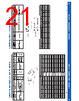
24 / 25 page  amphenolpcd.com | M28840@amphenolpcd.com | (978) 624-3400 amphenolpcd.com | M28840@amphenolpcd.com | (978) 624-3400 46 47 CONTACT CRIMPING, INSERTION, REMOVAL TOOLS M22520/34-01 Basic Crimp Tool Qualified to M22520/34-01, this crimp tool prevents improper crimps and over crimping and is based on the AFM8 miniature adjustable crimp tool, it performs a modified eight impression crimp with a precision cycle controlled ratcheting mechanism for gas-tight wire terminations and excellent tensile strength. Also featured is a four- step crimp depth selector knob and is designed for use with the M22520/34-02 bayonet-type Positioner. Gaging is accomplished with the M22520/35 “Go/No-Go” Gage. The adjustment wheel has eight settings. Check calibration with the M22520/35 gage. Length is 6.75 inches, weight is approximately 10oz. M22520/34-02 Positioner This bayonet type positioned locates and holds contacts at the cor- rect position for crimping with the M22520/34-01 Basic Crimp Tool. The face plate shows the correct tool settings. The face plate shows the correct tool settings. M22520/35 Gauge Periodic Gauging is recommended to ensure accurate calibration and is easily accomplished by setting the tool selector knob to the proper position and checking the indenter closure with the M22520/35 “Go/ No-Go” Gauge. M22520/34-01 Basic Crimp Tool Qualified to M22520/34-01, this crimp tool prevents improper crimps and over crimping and is based on the AFM8 miniature adjustable crimp tool, it performs a modified eight impression crimp with a precision cycle controlled ratcheting mechanism for gas-tight wire terminations and excellent tensile strength. Also featured is a four- step crimp depth selector knob and is designed for use with the M22520/34-02 bayonet-type Positioner. Gaging is accomplished with the M22520/35 “Go/No-Go” Gage. The adjustment wheel has eight settings. Check calibration with the M22520/35 gage. Length is 6.75 inches, weight is approximately 10oz. M22520/34-02 Positioner This bayonet type positioned locates and holds contacts at the cor- rect position for crimping with the M22520/34-01 Basic Crimp Tool. The face plate shows the correct tool settings. The face plate shows the correct tool settings. M22520/35 Gauge Periodic Gauging is recommended to ensure accurate calibration and is easily accomplished by setting the tool selector knob to the proper position and checking the indenter closure with the M22520/35 “Go/ No-Go” Gauge. CONTACT INSERTION/EXTRACTION INSTRUCTIONS 1. Insertion of Contacts 1. Insertion of Contacts: Insert wired contacts & tool into contact ‘clicks’ into retention clip A straight pull on the wire will assure the contact is properly seated. Note: Isopropyl alcohol maybe used sparingly as a lubricant. 2. Assembly After all contacts are inserted, assemble backshell or strain relief according to Amphenol backshell catalog instructions. 1. Contact Extraction Remove backshell or strain relief from connector. 2. Contact Extraction MIL-DTL-28840 connector contacts are extracted from the rear but released from the front of the connector. Using an extraction tool, slide tool tip into front of con- tact cavity (Mating face of connector, until tool tip engages against contact retention clip. Push plunger with min. force to release contact. Note: Isopropyl alco- hol may be used sparingly as a lubricant. 3. Contact Extraction Pull wired contact from rear grommet of connector. Contact Replacement After replacing contact re-insert starting with assembly instructions number 7. |
|
|
Link URL |
| Does ALLDATASHEET help your business so far? [ DONATE ] |
About Alldatasheet | Advertisement | Contact us | Privacy Policy | Link to Datasheet | Link Exchange | Manufacturer List All Rights Reserved©Alldatasheet.com |
| Russian : Alldatasheetru.com | Korean : Alldatasheet.co.kr | Spanish : Alldatasheet.es | French : Alldatasheet.fr | Italian : Alldatasheetit.com Portuguese : Alldatasheetpt.com | Polish : Alldatasheet.pl | Vietnamese : Alldatasheet.vn Indian : Alldatasheet.in | Mexican : Alldatasheet.com.mx | British : Alldatasheet.co.uk | New Zealand : Alldatasheet.co.nz |
|
Family Site : ic2ic.com |
icmetro.com |
 New Zealand ▼
 English
 Chinese
 German
 Japanese
 Russian
 Korean
 Spanish
 French
 Italian
 Portuguese
 Polish
 Vietnamese
 Indian
 Mexican
 British
 New Zealand