|
Electronic Components Datasheet Search |
|
|
Electronic Components Datasheet Search |
|
H8/3021 Datasheet(PDF) 403 Page - Renesas Technology Corp |
|
|
|||||||||||||||||||||||||||||
H8/3021 Datasheet(HTML) 403 Page - Renesas Technology Corp |
|
|
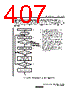
403 / 712 page  11. Serial Communication Interface Rev.2.00 Mar. 22, 2007 Page 379 of 684 REJ09B0352-0200 Transmitting and Receiving Data SCI Initialization (Synchronous Mode): Before transmitting or receiving, clear the TE and RE bits to 0 in SCR, then initialize the SCI as follows. When changing the communication mode or format, always clear the TE and RE bits to 0 before following the procedure given below. Clearing the TE bit to 0 sets the TDRE flag to 1 and initializes TSR. Clearing the RE bit to 0, however, does not initialize the RDRF, PER, FER, and ORE flags and RDR, which retain their previous contents. Figure 11.15 shows a sample flowchart for initializing the SCI. Clear TE and RE bits to 0 in SCR 1 bit interval elapsed? Start transmitting or receiving No Yes 1. 2. 3. 4. Select the clock source in SCR. Clear the RIE, TIE, TEIE, MPIE, TE, and RE bits to 0. Select the communication format in SMR. Write the value corresponding to the bit rate in BRR. This step is not necessary when an external clock is used. Note: In simultaneous transmitting and receiving, the TE and RE bits should be cleared to 0 or set to 1 simultaneously. 1 2 Set CKE1 and CKE0 bits in SCR (leaving TE and RE bits cleared to 0) 3 Set TE or RE to 1 in SCR Set RIE, TIE, and TEIE bits as necessary 4 Wait Wait for at least the interval required to transmit or receive one bit, then set the TE or RE bit to 1 in SCR. Also set the RIE, TIE, and TEIE bits as necessary. Setting the TE or RE bit enables the SCI to use the TxD or RxD pin. Start of initialization Set value in BRR Select communication format in SMR Figure 11.15 Sample Flowchart for SCI Initialization |
|
Link URL |
| Does ALLDATASHEET help your business so far? [ DONATE ] |
About Alldatasheet | Advertisement | Contact us | Privacy Policy | Link to Datasheet | Link Exchange | Manufacturer List All Rights Reserved©Alldatasheet.com |
| Russian : Alldatasheetru.com | Korean : Alldatasheet.co.kr | Spanish : Alldatasheet.es | French : Alldatasheet.fr | Italian : Alldatasheetit.com Portuguese : Alldatasheetpt.com | Polish : Alldatasheet.pl | Vietnamese : Alldatasheet.vn Indian : Alldatasheet.in | Mexican : Alldatasheet.com.mx | British : Alldatasheet.co.uk | New Zealand : Alldatasheet.co.nz |
|
Family Site : ic2ic.com |
icmetro.com |
 New Zealand ▼
 English
 Chinese
 German
 Japanese
 Russian
 Korean
 Spanish
 French
 Italian
 Portuguese
 Polish
 Vietnamese
 Indian
 Mexican
 British
 New Zealand