|
Electronic Components Datasheet Search |
|
|
Electronic Components Datasheet Search |
|
H8/3021 Datasheet(PDF) 407 Page - Renesas Technology Corp |
|
|
|||||||||||||||||||||||||||||
H8/3021 Datasheet(HTML) 407 Page - Renesas Technology Corp |
|
|
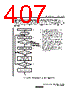
407 / 712 page  11. Serial Communication Interface Rev.2.00 Mar. 22, 2007 Page 383 of 684 REJ09B0352-0200 Receiving Serial Data (Synchronous Mode): Figure 11.18 shows a sample flowchart for receiving serial data and indicates the procedure to follow. When switching from asynchronous mode to synchronous mode, make sure that the ORER, PER, and FER flags are cleared to 0. If the FER or PER flag is set to 1 the RDRF flag will not be set and both transmitting and receiving will be disabled. Start receiving Read RDRF flag in SSR Read receive data from RDR, and clear RDRF flag to 0 in SSR Read ORER flag in SSR Clear RE bit to 0 in SCR End Error handling (continued on next page) 1 4 5 No Yes Yes No Yes 3 1. 2., 3. 4. 5. SCI initialization: the receive data function of the RxD pin is selected automatically. Receive error handling: if a receive error occurs, read the ORER flag in SSR, then after executing the necessary error handling, clear the ORER flag to 0. Neither transmitting nor receiving can resume while the ORER flag remains set to 1. SCI status check and receive data read: read SSR, check that the RDRF flag is set to 1, then read receive data from RDR and clear the RDRF flag to 0. Notification that the RDRF flag has changed from 0 to 1 can also be given by the RXI interrupt. To continue receiving serial data: check the RDRF flag, read RDR, and clear the RDRF flag to 0 before the MSB (bit 7) of the current frame is received. Initialize No RDRF = 1? ORER = 1? Finished receiving? 2 Figure 11.18 Sample Flowchart for Serial Receiving (1) |
|
Link URL |
| Does ALLDATASHEET help your business so far? [ DONATE ] |
About Alldatasheet | Advertisement | Contact us | Privacy Policy | Link to Datasheet | Link Exchange | Manufacturer List All Rights Reserved©Alldatasheet.com |
| Russian : Alldatasheetru.com | Korean : Alldatasheet.co.kr | Spanish : Alldatasheet.es | French : Alldatasheet.fr | Italian : Alldatasheetit.com Portuguese : Alldatasheetpt.com | Polish : Alldatasheet.pl | Vietnamese : Alldatasheet.vn Indian : Alldatasheet.in | Mexican : Alldatasheet.com.mx | British : Alldatasheet.co.uk | New Zealand : Alldatasheet.co.nz |
|
Family Site : ic2ic.com |
icmetro.com |
 New Zealand ▼
 English
 Chinese
 German
 Japanese
 Russian
 Korean
 Spanish
 French
 Italian
 Portuguese
 Polish
 Vietnamese
 Indian
 Mexican
 British
 New Zealand