|
Electronic Components Datasheet Search |
|
|
Electronic Components Datasheet Search |
|
ELANSC520 Datasheet(PDF) 19 Page - Advanced Micro Devices |
|
|
|||||||||||||||||||||||||||||
ELANSC520 Datasheet(HTML) 19 Page - Advanced Micro Devices |
|
|
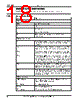
19 / 440 page  Introduction Élan™SC520 Microcontroller Register Set Manual xix Pin Naming { } Pin function during hardware reset [ ] Alternative pin function selected by software configuration ROMCS1 An overbar indicates that the signal assumes the logic Low state when asserted. GPRESET The absence of an overbar indicates that the signal assumes the logic High state when asserted. ads, hold A signal name in all lowercase indicates an internal signal. ROMCS2–ROMCS1 Two ROM chip select signals ROMCSx Any of the two ROM chip select signals Numbers b Binary number d Decimal number Decimal is the default radix h Hexadecimal number x in register address Any of several legal values; e.g., using 0xF8h for the UART Transmit Holding register is either 02F8h or 03F8h, depending on the UART [X–Y] The bit field that consists of bits X through Y. Example: The SB_ADDR[23–16] bit field. 33 MHz Refers to the system clock frequency being used. This can be either 33.000 MHz or 33.333 MHz. See the Élan™SC520 Microcontroller User’s Manual, order #22004, for more information about clock generation. General field Bit field in a register (one or more consecutive and related bits) can It is possible to perform an action if properly configured will A certain action is going to occur Set the ENB bit. Write the ENB bit to 1. Note: The bit referred to is either in the register being described, or the register is referred to explicitly in the surrounding text. Clear the ENB bit. Change the ENB bit to 0. Usually a bit is cleared by writing a 0 to it; however, some bits are cleared by writing a 1. Reset the ENB bit. Context-sensitive. Can refer either to resetting the bit to its default value or to clearing the bit. Table 0-1 Documentation Notation (Continued) Notation Meaning |
|
Link URL |
| Does ALLDATASHEET help your business so far? [ DONATE ] |
About Alldatasheet | Advertisement | Contact us | Privacy Policy | Link to Datasheet | Link Exchange | Manufacturer List All Rights Reserved©Alldatasheet.com |
| Russian : Alldatasheetru.com | Korean : Alldatasheet.co.kr | Spanish : Alldatasheet.es | French : Alldatasheet.fr | Italian : Alldatasheetit.com Portuguese : Alldatasheetpt.com | Polish : Alldatasheet.pl | Vietnamese : Alldatasheet.vn Indian : Alldatasheet.in | Mexican : Alldatasheet.com.mx | British : Alldatasheet.co.uk | New Zealand : Alldatasheet.co.nz |
|
Family Site : ic2ic.com |
icmetro.com |
 New Zealand ▼
 English
 Chinese
 German
 Japanese
 Russian
 Korean
 Spanish
 French
 Italian
 Portuguese
 Polish
 Vietnamese
 Indian
 Mexican
 British
 New Zealand